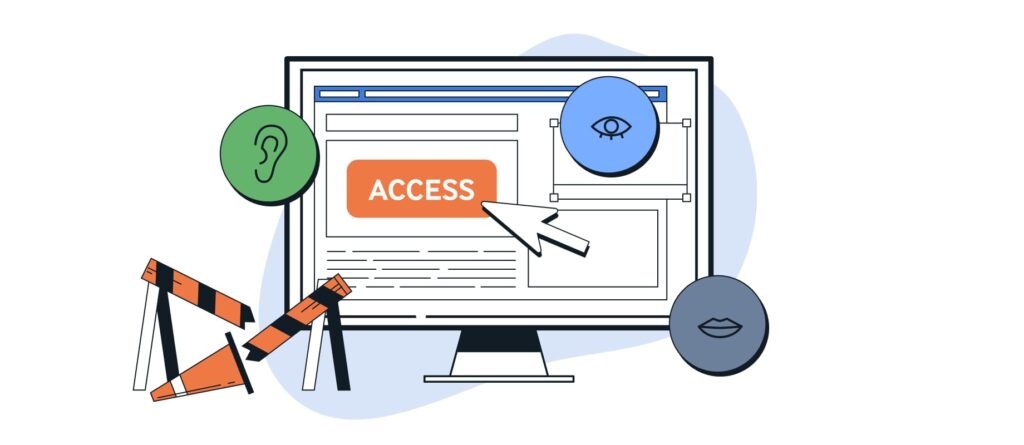
Digital accessibility is gaining greater attention—not least due to the Accessibility Enhancement Act (BFSG) taking effect on June 28, 2025. Companies that offer digital products or services to consumers will be legally required in the future to design their applications to be accessible. But even aside from legal requirements, it’s worth considering accessible solutions—especially for providers in the B2B sector.
This is because complex software, diverse usage contexts, and long-term use often converge here. Those who incorporate accessibility into their thinking in this environment not only improve overall usability but also create functional advantages: For example, good keyboard accessibility not only makes applications accessible but also makes daily work easier for power users. Similarly, accessible internal tools can increase the chances of attracting qualified professionals—a factor that is becoming increasingly important in light of the skills shortage.
As an IT company, we at IT Sonix have been committed to accessible software development in various projects for years. We can quickly help companies revamp their websites and make the most of the requirements and benefits of an accessible application environment.
Legal Framework: What Does the BFSG Regulate?
The BFSG transposes the European Accessibility Act into German law. It requires companies to ensure that digital services in areas such as online banking, e-commerce, media access, and passenger transportation are accessible. Although the law is primarily aimed at B2C services, expectations are also rising in the B2B context—as accessible solutions are increasingly considered the standard.
Don't wait—take action
Accessibility should not be an afterthought, but rather integrated into the planning and implementation from the very beginning. Applications that, for example, can only be operated with a mouse or rely on complicated language systematically exclude people—not just those with permanent disabilities. According to WHO estimates, about one in five people will face some form of disability—either long-term or temporary—at some point in their lives. Anyone who has, for example, had to navigate a tool with a broken arm or relied on captions in a noisy environment knows these barriers firsthand.
Accessible software makes it easier for everyone to use it—including older users, people with temporary limitations, or those who simply work differently. The result: less support work, greater user satisfaction, and more inclusive work processes.
A quality feature that makes a difference
Accessibility creates access where there were previously barriers. It expands the potential user base, reduces user errors, and increases the long-term usability of digital products. It’s especially worth taking a closer look in the B2B sector, where applications are often complex, are used intensively, and remain in use for years.
When you take accessibility seriously, aspects such as keyboard usability come into sharper focus—a benefit that helps not only people with disabilities but also power users who want to navigate a tool quickly and efficiently. Accessibility also pays off internally: By designing digital workspaces to be accessible, you automatically attract a broader pool of potential employees. This turns inclusion into a tangible advantage—for productivity, team diversity, and competitiveness.
Accessibility also means developing with the future in mind. Those who comply with standards today will be better prepared for new requirements tomorrow, whether in a legal or social context.
Our Approach at IT Sonix
In various projects, particularly in the public sector, we at IT Sonix place a strong emphasis on accessible software development. Our UX team is involved from the very beginning and takes accessibility requirements into account right from the design phase. We follow the Web Content Accessibility Guidelines (WCAG) and ensure clear navigation structures, understandable language, and high-contrast visual design.
In the technical implementation of these projects, our developers prioritize semantically correct HTML code that enables use with screen readers. Interactive elements are designed to be operable via keyboard and to exhibit predictable focus behavior. For quality assurance, we combine automated checks—for example, using axe DevTools—with manual testing, such as using NVDA or systematic keyboard navigation.
In addition, we rely on preventive measures such as Linter rules (e.g.,. @angular-eslint/schematics) and use the Testing Library to identify vulnerabilities early on. An internal working group (Circle) is continuously focused on this topic, sharing knowledge and building expertise within the team.
Even outside of projects required by law, we raise awareness of digital accessibility among clients and employees—for example, through workshops or by providing consulting services throughout the course of a project.
Real-World Examples from UX and Development
General design principles and development methods can help ensure that digital accessibility is better addressed. Good UX design provides orientation, reduces cognitive load, and supports a variety of usage scenarios. These include clear navigation structures, sufficient contrast, easily readable font sizes, and supplementary visual cues—such as icons used in addition to color coding. Responsive design and scalable fonts also contribute to accessibility when users increase the default font size in their global settings.
In the technical implementation, the use of semantically correct HTML elements plays a central role. For interactive and relevant elements, it is recommended to use, instead of generic tags such as <div> or <span> native elements such as , or to use content that assistive technologies, such as screen readers, can automatically interpret correctly and read aloud accordingly.
Example:
Not accessible:
Better:
ARIA attributes should also be used selectively, since not every attribute is necessary in every situation:
Unnecessary, since visible text is present:
The situation is different for a button that only features an icon:
To check for accessibility, there are both automated tools—such as axe DevTools—and manual methods, such as using screen readers like NVDA or conducting targeted keyboard tests. Questions like the following can help: Is the focus clearly identifiable? Can all elements be accessed? The combination of clear UX, accessible code, and testing (both automated and manual) forms a solid foundation for accessible applications.
Conclusion: Now is the right time
Accessibility improves software, regardless of whether it is required by law. It makes digital products easier to understand, more versatile, and more robust to use. Investing in accessible development pays off in the long run, both for companies and for the people who use the software.
After all, what is necessary for some benefits many others. Those who adhere to accessibility standards today not only reduce barriers but also create sustainable solutions for the future. This demonstrates a commitment to inclusion toward users, employees, and society.
Software that doesn’t exclude anyone isn’t just more user-friendly—it’s simply better. And in the end, it affects us all—because at some point, everyone runs into a barrier. Otherwise, we probably wouldn’t be buying disability insurance.