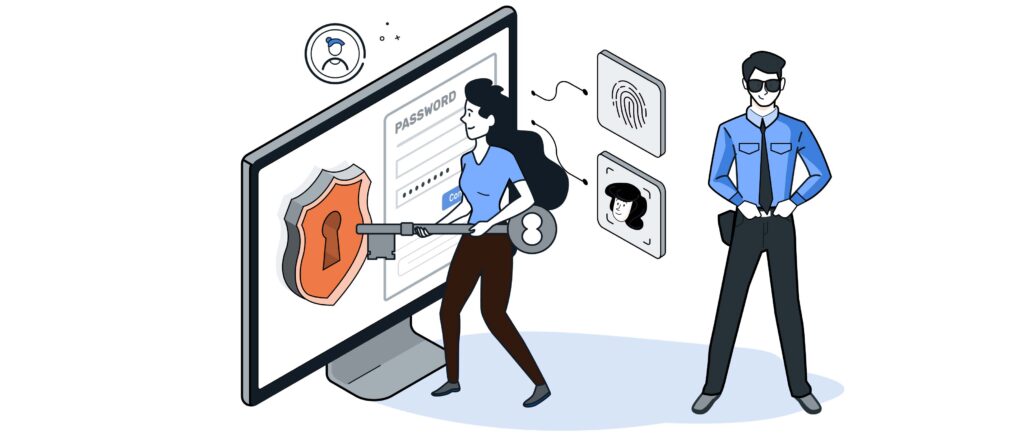
We use passwords every day—though sometimes they may not be the most secure. Yet managing them securely can prevent a lot of trouble in the long run. With the now enormous amounts of sensitive data out there, our digital identity has become too important to entrust to a single password—or even just a few.
If a password is compromised—that is, falls into the wrong hands—only a small part of one's digital identity should be affected by this incident.
Am I already affected?
Many people are probably familiar with emails asking them to change their password following an attack on an online service provider. Ideally, questions like „Where else have I used this password?“ should be answered with „Nowhere.“.
With services such as Have I Been Pwned? by Troy Hunt or the HPI Identity Leak Checker The Hasso Plattner Institute’s database allows you to search for an email address based on past data breaches. You can also use “Have I Been Pwned?” to check whether a password has already been compromised in a data breach and is therefore considered insecure. If you do not want to submit your password online to “Have I Been Pwned?”, you can alternatively download the entire encrypted password database with SHA-1 or NTLM hashes ( haveibeenpwned.com/Passwords) and checked locally for instances of their own passwords.
What makes a password secure?
Over time, certain methods for creating and storing passwords have proven effective. As a general rule, a password is only strong if it is as random as possible. This is referred to as a password’s entropy. If parts of a password form a logical sequence, this reduces the password’s entropy. For example, words from a dictionary or number sequences based on calendar dates are not secure components of a password.
To ensure the highest possible password security, the characters it contains should come from the widest possible character set. A 4-character password consisting of numbers has only 10,000 possible combinations. If lowercase letters are added, that number rises to 1.6 million. When combined with uppercase letters, nearly 15 million passwords are possible. If the password also includes special characters, the number of possible 4-character passwords increases to over 81 million.
The more possible password combinations there are, the longer it takes to crack a password in the event of an attack. That is why we recommend using passwords that are as long and random as possible.

But how long is long enough? To be on the safe side, it's a good idea to choose a password that's 12 characters or longer and consists of a combination of uppercase and lowercase letters, numbers, and special characters.
Methods for Manually Creating Secure Passwords
To come up with the strongest possible password, it helps to create a secure pattern that only you know. Such a pattern could be, for example, a sentence you make up yourself, which is then supplemented with special characters and numbers. The first letters of the words and the special characters then form the password.
Example:
Today, I'm going to come up with my first secure password using this method.
Hdimm1.sPmdMa.
If this password is further enhanced with additional special characters, it will have very high entropy and will therefore be particularly secure. You don't have to limit yourself to sentences; you can also use haikus or other forms of short poetry.
Methods for Automatic Password Generation
However, even with such a password generator, it is difficult to create unique passwords for each service that are sufficiently different from one another and are therefore truly secure.
A password manager can save you a lot of work—both when creating secure passwords and when managing them. Basic password managers are already built into every major web browser today. The advantage here is the ability to sync data via the browser provider’s cloud. However, this can also be seen as a disadvantage, since access to one’s entire digital identity is entrusted to a third-party cloud. Furthermore, there is often no easy way to automatically fill in login credentials for applications outside the browser.

A dedicated password manager is a good alternative. Popular password managers include KeePassXC/KeePassDX and 1Password. These applications can be installed on all common devices and store passwords in encrypted database files. To open these databases, a master password is used, which should be as secure as possible. Web browsers can communicate with the password manager via a plug-in and offer the corresponding login credentials on individual websites for automatic filling.
However, to synchronize login credentials across multiple devices, the database file must be present on all devices. This file can, in turn, be synchronized via the cloud, for example. The master password you choose helps ensure the security of your stored passwords in the event that the password database ever falls into the wrong hands.
How do we work?
Of course, we also deal with password-protected applications in our day-to-day business. In addition to ensuring the highest possible level of security, it’s also important for us to remain efficient and not slow down processes with unnecessary hurdles. In some of our projects, the use of a dedicated password manager has therefore proven effective. With this tool, logins that are valid for multiple web services can be easily added to the login entry along with their URLs. This means that when a password is changed for an account, there’s no need to edit a separate entry for each URL. In addition, this dedicated password manager allows us to generate tokens for two-factor authentication (2FA), thereby providing even greater security.
For now, these are our tips and guidelines for users. For more information, please visit the Federal Office for Information Security (BSI). We also have another blog post in the works, in which our security experts will discuss the topic of access control in application development.